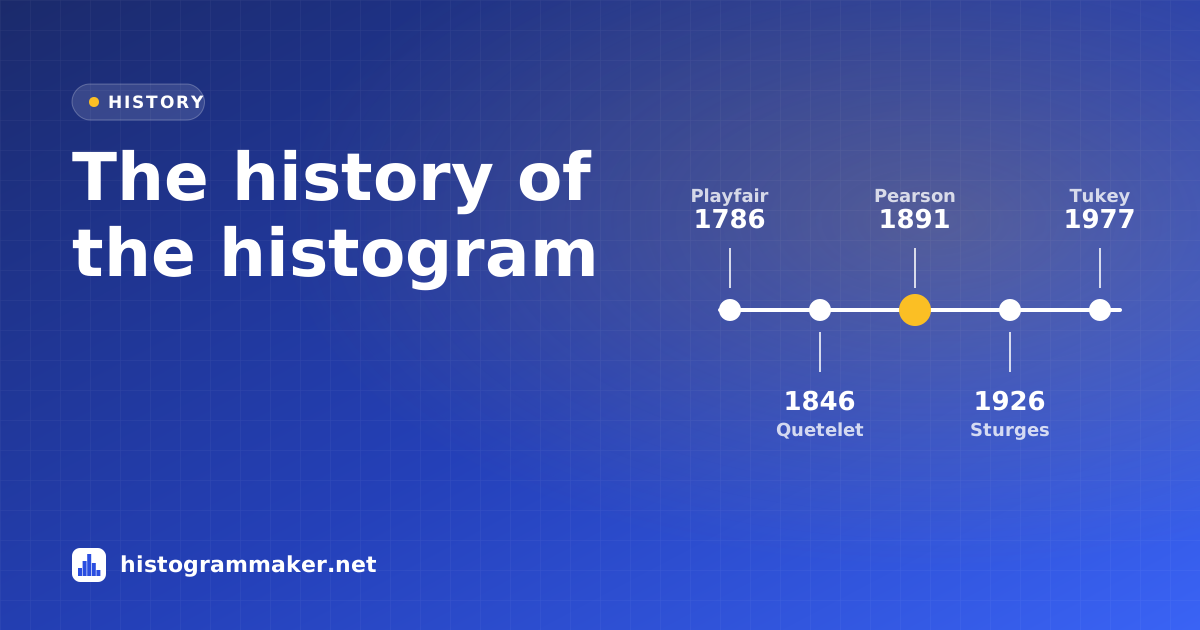
The histogram is so familiar that it feels like it has always existed. In fact it took about a century, from the first bar charts of the 1780s to a lecture hall in 1891, before anyone gave it a name. And statisticians kept refining the best way to draw one well into the 1980s.
Timeline
| Year | Milestone |
|---|---|
| 1786 | William Playfair publishes the first bar chart in The Commercial and Political Atlas. |
| 1846 | Adolphe Quetelet shows that the chest sizes of Scottish soldiers follow a bell-shaped curve. |
| 1870s | Francis Galton builds the “quincunx”, a board where falling beads pile up into a living histogram. |
| 1891 | Karl Pearson coins the word “histogram” in his lectures on statistics. |
| 1895 | Pearson uses “histogram” in print, defining it by area, not height. |
| 1926 | Herbert Sturges publishes the first rule for choosing the number of bins. |
| 1956–62 | Rosenblatt and Parzen develop kernel density estimation, a smooth successor to the histogram. |
| 1977 | John Tukey’s Exploratory Data Analysis makes quick distribution plots a first step in any analysis. |
| 1979–81 | Scott and Freedman–Diaconis derive data-based rules for the bin width. |
| 2016 | Excel adds a built-in histogram chart; today one line of Python or R draws one. |
Before the histogram: Playfair’s bars
The Scottish engineer and economist William Playfair is credited with inventing the line graph and the bar chart. They appeared in his Commercial and Political Atlas of 1786. His bar chart compared Scotland’s imports and exports with its trading partners. It was a chart of categories, not a distribution, but it introduced the idea that the length of a bar could stand for a quantity.
Seeing distributions: Quetelet and Galton
In the 19th century, scientists began collecting large amounts of measurement data about people. The Belgian astronomer and statistician Adolphe Quetelet grouped the chest measurements of about 5,700 Scottish soldiers and found that the counts rose and fell in the same bell shape astronomers saw in measurement errors. He described the result in 1846. Grouping measurements into intervals and counting each group is exactly what a histogram does, even though Quetelet didn’t call it that.
In the 1870s Francis Galton built the quincunx (now often called a Galton board), a board of pins down which beads bounce left or right. The beads collect in slots at the bottom and form a bell-shaped heap: a physical histogram that showed how many small random effects add up to a normal distribution.
Karl Pearson names the histogram
The word comes from Karl Pearson, the English mathematician who founded much of modern statistics. He used it in lectures in 1891. It first appeared in print in his 1895 paper on “skew variation” in the Philosophical Transactions of the Royal Society. There he explained that he had introduced it as a term for a common form of chart in which columns mark, as areas, the frequency for the range of their base.
That definition matters. In a true histogram it is the area of each bar that represents the count. With equal-width bins, area and height tell the same story. With unequal bins, the height must be adjusted (to density), or wide bins look too important. Many charts still get this wrong today.
Pearson never explained the name. Two explanations are often given: the Greek histos (anything set upright, like a ship’s mast) plus gramma (drawing), or a shortening of “historical diagram”. Neither has been confirmed.
Pearson did more than name the chart. His 1895 paper fitted a family of curves, including skewed ones, to histograms of real data. That challenged the idea that every distribution was a normal bell curve. In 1901 he co-founded the journal Biometrika, which published many of the statistical methods built on this idea.
How many bins? A long-running question
Once histograms became standard, a practical question remained: how wide should the bins be? In 1926 Herbert Sturges proposed choosing roughly log₂(n) + 1 bins for n values. The rule is still the default in many tools, including this one. Later work showed it gives too few bins for large data sets. In 1979 David Scott derived a bin width based on the standard deviation. In 1981 David Freedman and Persi Diaconis replaced the standard deviation with the interquartile range, which resists outliers. You can try all three in our histogram maker.
A related idea grew in parallel. In 1956 and 1962, Murray Rosenblatt and Emanuel Parzen developed kernel density estimation, which replaces the blocky bars with a smooth curve. Density plots and violin plots descend from it, but the histogram remains easier to explain and to read exact counts from.
From graph paper to one line of code
For most of its history, a histogram meant tallying values by hand and drawing on graph paper. In the 1960s and ’70s, the Japanese quality expert Kaoru Ishikawa listed the histogram among his “seven basic tools of quality”, and it became a standard sight on factory floors. In 1977 John Tukey’s Exploratory Data Analysis argued that you should always look at the distribution of your data before modelling it. Tukey also introduced the stem-and-leaf plot, a histogram you can write with a pencil.
Computers made histograms effortless. Statistical packages could draw them from the 1960s onward; Excel added a dedicated histogram chart in 2016; and in Python or R a histogram is a single line of code. Today they also appear in places Pearson never imagined, from the exposure histogram on a camera screen to the latency dashboards that keep websites fast.
Why it has lasted
Over 130 years, the histogram has survived because it does one job extremely well: it turns a long list of numbers into a shape anyone can read. Center, spread, skew, outliers and multiple peaks are all visible at a glance, with no formulas required. For more on reading that shape, see What is a histogram?, or explore where histograms are used today.